 Curator Pal
Curator Pal demo: drafting stock footage titles, descriptions and keywords
In this 2-minute demo, the maker of Curator Pal runs it on his own clips. Curator Pal is a Chrome extension for stock footage curators who upload to BlackBox Global. It reads a few preview frames from a clip and drafts the metadata buyers search on: a title, a description and keywords.
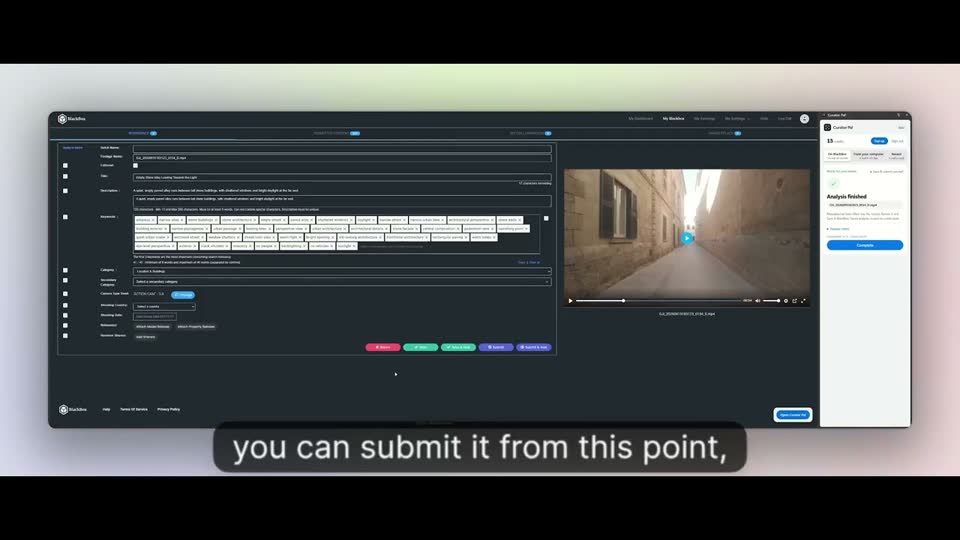
In the demo, one clip of a narrow street comes back with the title “Narrow Cobblestone Alleyway in an Old Italian Town” and a full set of keywords, ready to check and edit before it’s submitted.
The video loads from YouTube in privacy-enhanced mode only when you press play. Watch on YouTube.
Clip by clip, in your workspace
- Once your clips are uploaded to your workspace, press Edit on a clip.
- In the Curator Pal panel, press Start analysis. It plays the clip, takes frames from it and analyses them.
- When you see “Analysis finished. Please check your results!”, the title, description, keywords and location are filled into the form.
- Check everything and adjust anything that isn’t quite right. You stay in control of every field.
- Submit from there, or save and move on to the next clip.
A whole folder at once, from your computer
- Click the From your computer tab and choose a folder of clips.
- Chrome reads the clips on your computer and sends a few preview frames, so every clip is analysed in one go, without clicking through each one in the workspace.
- Once the clips are uploaded to your workspace, press the Fill BlackBox button.
- Every clip whose name matches an analysed clip gets its description and keywords filled in.
- Review the results, then publish them yourself when you’re happy.
Launch offer: use code CURATOR20 for 20% off your first purchase, on any credit pack or your first month of a plan. New customers only, ends 8 Nov.
Already written your metadata? Check it against the agency’s published limits with the free stock footage metadata checker. It runs in your browser, with no sign-up.
Curator Pal is independent and not affiliated with or endorsed by BlackBox Global.
Questions
Do I need to rename my clips for the folder method?
No, but the file names of the clips you upload must match the files you analysed, because that’s how each draft is matched to its clip.
Can I edit the draft?
Yes. Every field stays editable, and nothing is submitted until you press Submit.